
In 2025, data is the backbone of every small business. From client files and financial records to creative assets and internal documents, secure and efficient storage is no longer optional. As cyber threats increase and cloud subscription costs continue to rise, more businesses are turning to Network Attached Storage (NAS) as a smarter, long-term solution.
If you are searching for the best NAS for small business in 2025, this guide will walk you through everything you need to know,from key features and use cases to performance benchmarks and real-world deployment strategies. We'll also introduce one of the most powerful next-generation business NAS systems available today: LincStation N2.
1. What Is a NAS and Why Small Businesses Need One in 2025
A NAS (Network Attached Storage) is a dedicated storage server connected to your local network. It allows multiple users to store, access, share, and back up data from one centralized system. Unlike consumer external hard drives or public cloud storage, a NAS gives you:
Full control over your data
- Higher data security
- Predictable long-term costs
- On-premise performance without monthly fees
- Private cloud functionality
For small businesses, a NAS acts as:
- A central file server
- A daily automatic backup system
- A secure remote access platform
- A collaboration hub for teams
- A media and asset management server
- A virtualization and application platform
With remote work, hybrid offices, and rising cybersecurity risks, deploying a professional NAS is now a core IT infrastructure decision for small businesses.
2. Key Requirements for the Best NAS for Small Business in 2025
Not every NAS is built for business workloads. When choosing the best NAS for small business, you should evaluate the following critical factors:
Performance
Small businesses run multiple services at once:
- File sharing
- Backups
- Media streaming
- Database access
- Cloud synchronization
Your NAS must have a powerful CPU, sufficient RAM, and SSD/NVMe support to handle concurrent tasks smoothly.
Data Security
Business data requires:
- User permission management
- Encrypted storage
- Secure remote access (VPN / HTTPS)
- Snapshot backups
- Ransomware protection
Scalability
Your business will grow. Your NAS must support:
- Storage expansion
- Drive upgrades
- Network upgrades (2.5GbE | 10GbE)
- Additional apps and services
Collaboration Features
A business NAS must enable:
- Multi-user file access
- Shared folders
- Team permissions
- Version contro
- Remote collaboration
Virtualization & Applications
Modern small businesses use NAS not only for storage but also as:
- Docker container platform
- Virtual machine host
- Web server
- Internal application server
3. NAS vs Cloud Storage for Small Business
Many small businesses start with public cloud services such as Google Drive, Dropbox, or OneDrive. However, as data volumes grow, cloud storage becomes expensive and risky.
Key Differences
| Feature | NAS | Public Cloud |
|---|---|---|
| Monthly Fees | One-time hardware cost | Ongoing subscription |
| Data Ownership | Full control | Controlled by provider |
| Performance | Local network speed | Internet dependent |
| Privacy | Private, in-house | Third-party hosted |
| Customization | Full | Limited |
| Long-Term Cost | Low | High |
For businesses handling sensitive customer data, creative assets, or operational databases, the best NAS for small business 2025 will always outperform cloud in terms of cost-efficiency, compliance, and control.
4. Typical Small Business NAS Use Cases
A well-designed business NAS supports a wide variety of real-world scenarios:
Central File Server
A NAS replaces scattered USB drives and personal cloud accounts by creating one unified data hub for the entire office.
Automated Backup System
Automated daily backups protect:
- Office PCs
- Laptops
- Workstations
- Servers
This ensures rapid disaster recovery.
Remote Work & Hybrid Office
Employees can securely access business files remotely through VPN or web-based platforms.
Media Asset Storage
For marketing agencies, design studios, and video teams, a NAS offers:
- High-speed multi-user access
- Large media storage pools
- Version tracking
Private Cloud
A NAS allows your business to run a private cloud environment, eliminating dependence on public cloud services.
- Application Hosting
- Modern business NAS systems can host:
- CRM tools
- ERP software
- Project management platforms
- Internal databases
5. Hardware Specifications That Define the Best NAS for Small Business
To qualify as one of the best NAS solutions for small business in 2025, a system should meet these baseline hardware requirements:
- Multi-core CPU (Intel or AMD)
- At least 8GB RAM (16GB or more recommended)
- SSD / NVMe cache support
- Multiple storage bays (expandable)
- 2.5GbE or 10GbE networking
- Hardware encryption acceleration
Entry-level consumer NAS devices often fail to meet these standards under real business workloads.
6. Common Problems with Traditional Small Business NAS Systems
Many small businesses face limitations when using older or entry-level NAS models:
- Underpowered CPUs
- Insufficient RAM
- No support for virtualization
- Slow network interfaces
- Locked operating systems
- Limited application ecosystems
- Poor scalability
These limitations reduce productivity and often force businesses to replace hardware earlier than expected.
7. Introducing LincStation N2: A Next-Generation NAS for Small Business
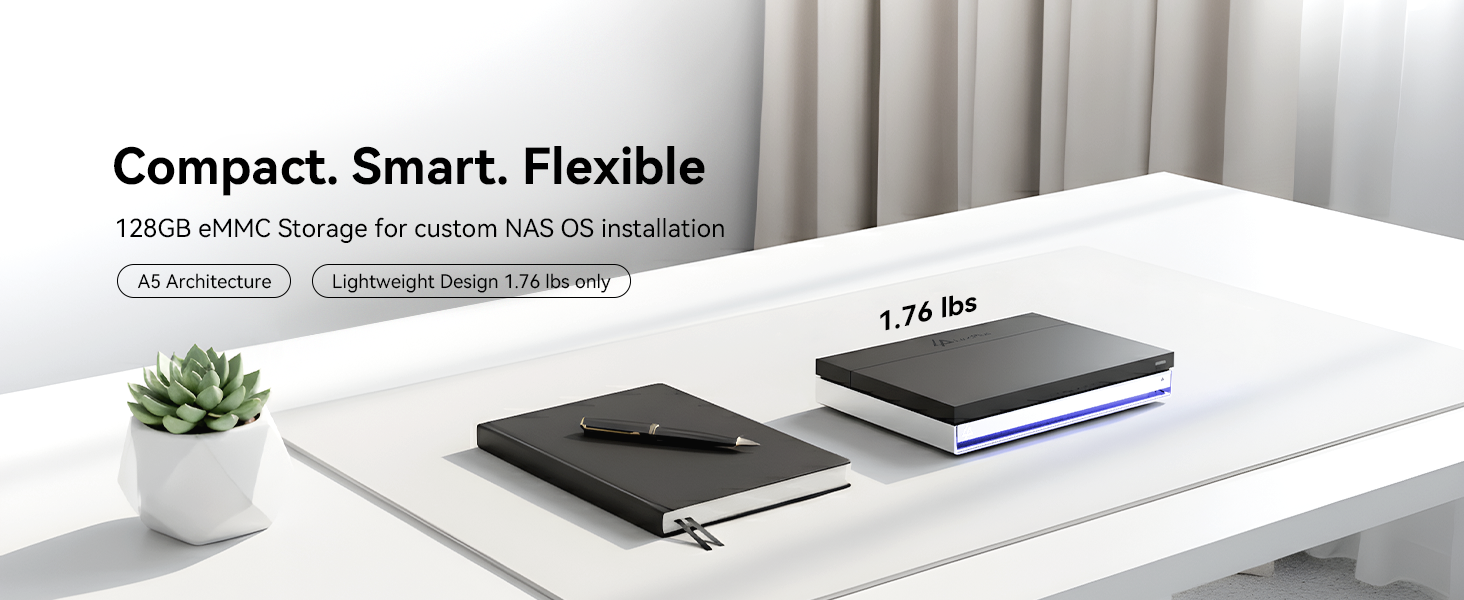
The LincStation N2 is a new-generation NAS platform engineered specifically for power users, creators, and small business environments that require both performance and flexibility.
Unlike traditional consumer NAS devices, LincStation N2 is built as a true mini server-class NAS, suitable for long-term professional deployment.
- Core Hardware Highlights
- High-performance Intel processor
- 16GB DDR5 RAM for heavy multitasking
- 128GB built-in system storage (ROM)
- Multiple M.2 NVMe SSD slots
- Support for 2.5-inch SATA SSDs and HDDs
- High-speed networking
- Compact, quiet, business-ready design
This hardware foundation allows the N2 to operate as both a NAS and an application server simultaneously.
8. Why LincStation N2 Is One of the Best NAS for Small Business in 2025
1. Exceptional Multitasking Performance
With 16GB DDR5 memory, LincStation N2 can run:
- File services
- Multiple Docker containers
- Media servers
- Backup tasks
- all at the same time, without slowdowns.
2. True Business-Grade Storage Expansion
You can combine:
- NVMe SSDs for caching or high-speed workloads
- SATA SSDs for fast data access
- Large-capacity HDDs for long-term storage
This hybrid architecture allows businesses to optimize for speed + capacity + cost efficiency.
3. Full System Freedom
LincStation N2 allows businesses to:
- Deploy custom NAS systems
- Run private cloud platforms
- Host internal business apps
- Build flexible IT environments
There is no closed software ecosystem locking your business into a single vendor.
4. Secure, Scalable, and Future-Proof
The N2 supports:
- Encrypted storage volumes
- User and permission management
- Secure remote access
- Expandable storage architecture
This makes it suitable for long-term business growth.
9. Best NAS for Small Business Collaboration
Collaboration is one of the most important selection criteria for a business NAS.
With a modern NAS system like LincStation N2, teams can benefit from:
- Multi-user file access
- Department-based permission control
- Shared workspaces
- Real-time file synchronization
- Secure remote collaboration
This eliminates file duplication, reduces errors, and greatly improves team productivity.
10. NAS for Small Business Backup and Data Protection
Data loss can destroy a business. A professional NAS acts as the center of your business continuity strategy.
With a properly configured NAS:
- All office computers back up automatically
- Snapshots protect against ransomware
- Hardware failure does not cause business downtime
- Disaster recovery becomes quick and predictable
Using enterprise-grade NAS drives with LincStation N2 delivers high reliability and long-term data integrity.
11. NAS for Small Business Virtualization and Applications
One of the biggest advantages of modern NAS platforms is their virtualization capability.
With LincStation N2, businesses can deploy:
- Docker environments
- Web servers
- VPN servers
- CRM systems
- Project management platforms
- Monitoring tools
This transforms your NAS into a multi-purpose business server, reducing the need for multiple dedicated machines.
12. Cost Analysis: NAS vs Traditional Small Business IT Infrastructure
When comparing NAS to traditional server + cloud subscriptions, NAS offers significant long-term savings.
- Cost Category Traditional Setup NAS-Based Setup
- File Server Separate hardware Integrated
- Backup System Separate subscription Integrated
- Cloud Storage Fees Monthly recurring One-time
- Remote Access VPN subscription Built-in
- IT Maintenance High Moderate
For small businesses operating on tight budgets, the return on investment (ROI) of a NAS system is extremely favorable.
13. How to Choose the Right NAS for Your Small Business
When evaluating the best NAS for your business in 2025, ask these key questions:
How many users will access the system?
How much storage will you need in 3–5 years?
Do you plan to use virtualization or Docker?
Do you require high-speed media access?
Is remote access a daily requirement?
What level of data security is required?
If your answers point toward high performance, scalability, and flexibility, a traditional retail NAS may not be sufficient.
14. Who Should Choose LincStation N2?
LincStation N2 is an ideal solution for:
- Small businesses with 5–50 employees
- Marketing and creative agencies
- Design studios and video production teams
- Startups with fast-growing data needs
- Remote or hybrid work enterprises
- IT professionals and developers
- E-commerce and digital businesses
If your business requires both enterprise-level performance and long-term flexibility, LincStation N2 stands out as one of the strongest options in its class.
15. Final Verdict: Best NAS for Small Business 2025
Choosing the best NAS for small business in 2025 is no longer just about storage capacity. It is about:
- Performance
- Security
- Collaboration
- Scalability
- Total cost of ownership
- Application flexibility
Traditional consumer NAS systems are increasingly insufficient for modern business workloads. In contrast, next-generation NAS platforms such as LincStation N2 deliver:
- Server-grade hardware performance
- Full virtualization and application support
- Enterprise-level scalability
- Secure collaboration
- Outstanding long-term value
For small businesses looking to build a future-proof IT foundation, LincStation N2 is not just a storage device. it is a complete business infrastructure platform.

Dejar un comentario
Todos los comentarios se revisan antes de su publicación.
Este sitio está protegido por hCaptcha y se aplican la Política de privacidad de hCaptcha y los Términos del servicio.